
Health and safety software for the day someone asks to see your records.
SafetyPro360 keeps a small firm's training, documents, incidents, checks, toolbox talks and PPE in one place. When an inspector, an insurer or a customer asks, the answer is already on the screen.
14 days free, then from £9.99 a month, with no card needed to start.
Six questions you will be asked sooner or later

The training matrix. See how it answers that

Toolbox talk records. See how it answers that

Incident reports. See how it answers that

Inspections and checks. See how it answers that

The document register. See how it answers that

Actions. See how it answers that
Nobody asks on a quiet day.
The question comes after an accident, in the middle of a tender, or with an inspector standing in the yard. For most small firms the honest answer is a spreadsheet nobody has opened since March, a folder of certificates and a sign-off sheet in the van.
SafetyPro360 replaces those with one set of records that stays up to date because it is quick to keep. It is built for the owner or manager who looks after safety on top of their real job.
“Can I see your training records?”
An inspector, or a customer vetting you as a supplier
The training matrix. People down the side, courses across the top. A tick is in date, amber runs out within 30 days, red has expired or was never done. Say once which training each role needs and the gaps show themselves.
- Each role carries its own required training
- Expiry dates are worked out from how long each course lasts
- Filter by role, and by site if you have more than one
“Who was at the toolbox talk?”
A principal contractor, or your own insurer after a claim
Toolbox talk records. Every talk is kept with its date, its topic and the names of the people who were there. Anyone who should have heard it and did not stays on an outstanding list until they have.
- Pick who needs the talk by role
- Tick off who attended, on a phone, at the talk
- An outstanding list of who still needs it
“Where is your accident book?”
An HSE inspector, or a solicitor three years later
Incident reports. Accidents and near misses written down on a phone while they are fresh: what happened, where, who was hurt, what first aid was given and who saw it. Each one stays open until you close it.
- Accidents, near misses and damage in one list
- Severity, injury, first aid and witnesses recorded
- Open incidents stay in front of you
“When was that last checked?”
An inspector pointing at the forklift, the racking or the fire door
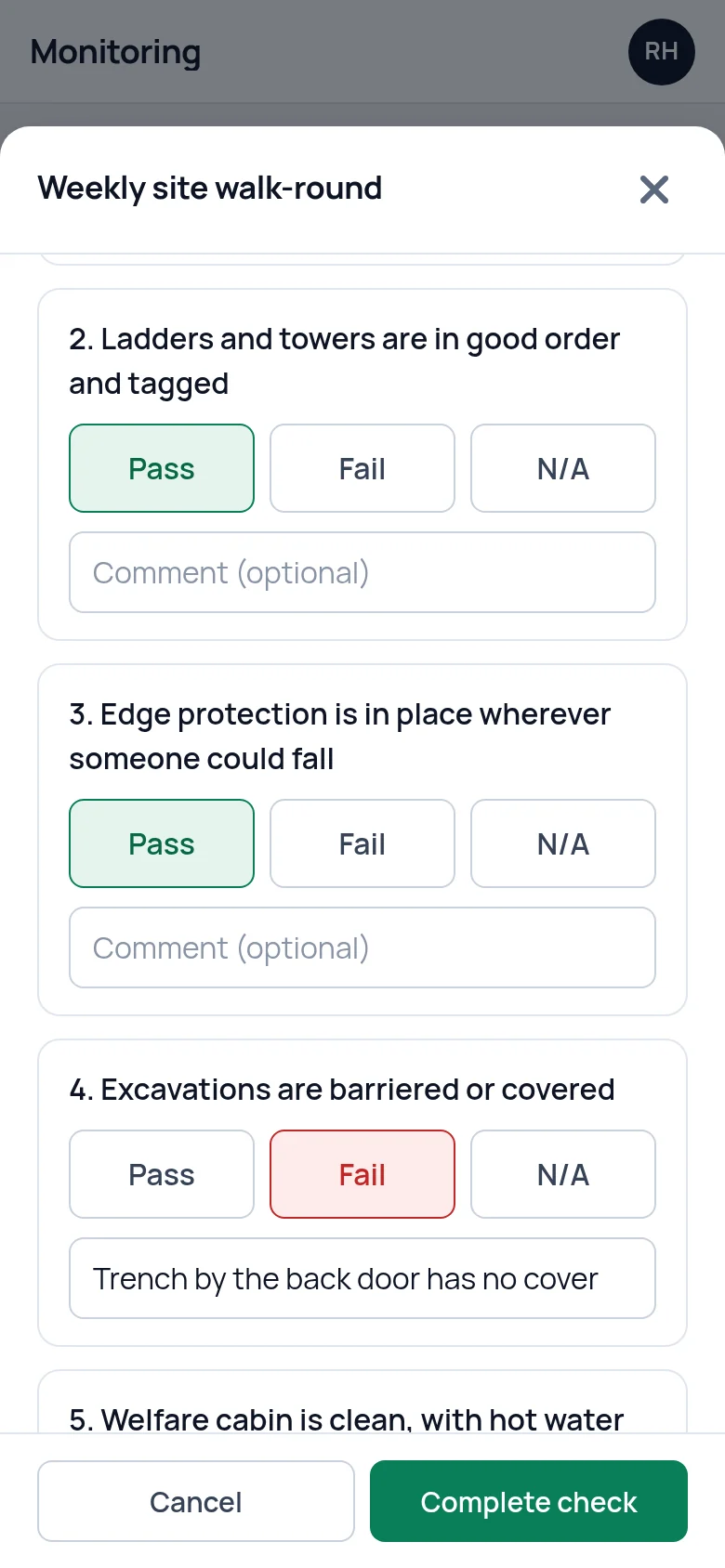
Inspections and checks. Build a checklist for anything you inspect: the forklift, the fire doors, the ladders, the weekly walk-round. Do the check on a phone, answer pass or fail with a comment, and every completed check is kept with its score.
- Your own checklists, your own questions
- Done on site, on a phone
- A dated record of every check and what it found
“Is that certificate still in date?”
A customer asking for your insurance, or an auditor asking for your policy
The document register. Policies, insurance, certificates and assessments are held with their expiry and review dates. The document matrix lists what you should hold and shows what is missing, expired or due a review.
- Expiry and review dates on every document
- A list of what you should hold, and what is missing
- Files are private to your account
“And what did you do about it?”
Everyone, straight after any of the questions above
Actions. When a check fails or a near miss is reported, add an action: a job with a name and a date on it. Overdue ones stay on your dashboard until somebody completes them.
- An owner and a due date on every action
- Overdue actions shown first
- A record of what was done, and when
Better still, know before anyone asks.
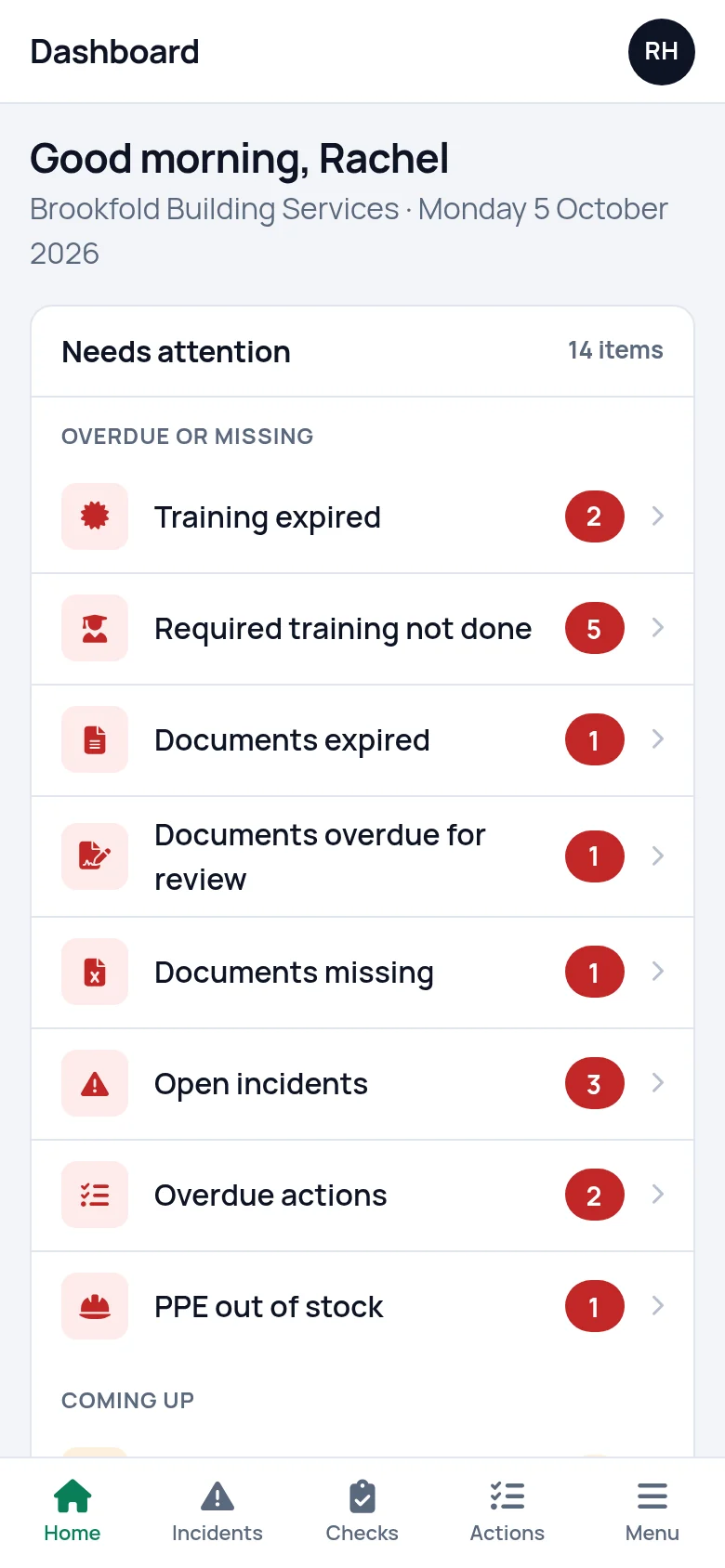
The first screen you see is one list: what is overdue, what is missing and what is coming up, worst first. Clear the list and nothing is overdue or missing. Leave it and it is still there tomorrow.
What the dashboard shows
Made for a phone in a yard, not only a desk in an office.
The things that happen on site get recorded on site. Report a near miss before you have walked back to the cabin. Run the forklift check standing next to the forklift. Tick off who was at the toolbox talk while they are still in front of you.
There is nothing to install. It opens in the browser on whatever phone you already carry.
Using it on a phone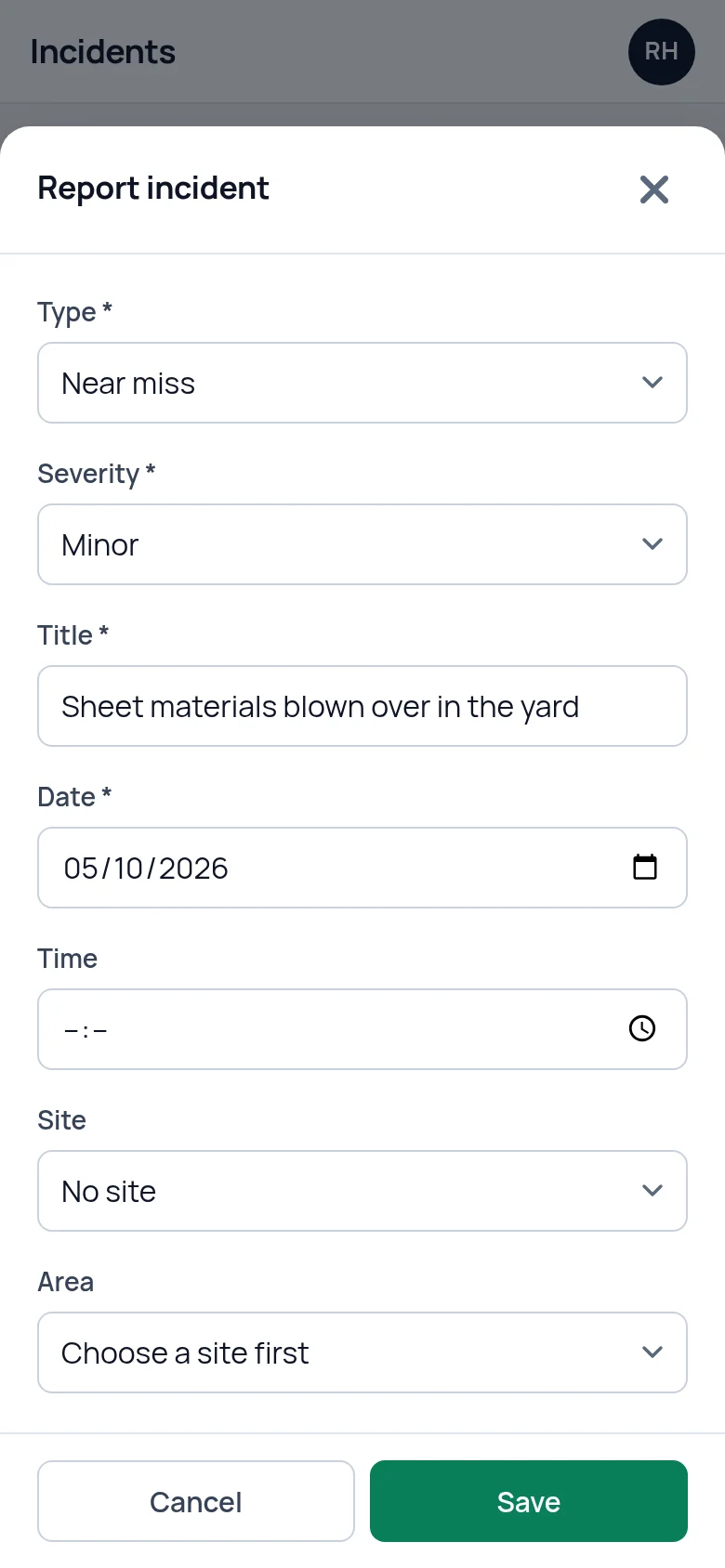
Your safety consultant can work inside your account.
If you use an outside consultant, connect them. You choose which parts of your records they can work on and which sites, and they keep them up to date from SafetyHub360, the sister product built for consultants. You can end their access whenever you like.
For safety consultantsBuilt by people who work in safety.
SafetyPro360 comes from Radequip, a UK safety business whose people have more than twenty years in the trade, supplying PPE and safety equipment and helping firms with compliance. It was built around the records its own customers were struggling to keep.
Who is behind itThree plans, from £9.99 a month.
Every plan has every feature. They differ only in how many staff, sites and logins they cover, and how much document storage. Try it free for 14 days without giving a card number, and cancel whenever you like.
14 days free, then from £9.99 a month, with no card needed to start.
-
StandardUp to 10 current staff, one site, one login and 500 MB of document storage.
£9.99 a month
-
ProUnlimited staff, up to 3 sites, up to 5 logins and 5 GB of document storage.
£29.99 a month
-
BusinessUnlimited staff, sites and logins, with 25 GB of document storage.
£59.99 a month
Training, documents, incidents, checks, toolbox talks, PPE, actions and consultant access on every plan.
Questions people ask
Who is SafetyPro360 for?
Small UK firms where health and safety is looked after by the owner or a manager alongside their real job. There are three plans: Standard for up to 10 staff on one site, and Pro and Business for bigger teams and more sites. Builders, manufacturers, warehouses, engineers, care homes, cleaning firms and trades use the same handful of records: who is trained, what was checked, what happened and what was done about it.
Does using it make us compliant?
No software can do that, and be wary of any that says it can. The law asks you to manage risks sensibly and to be able to show that you do. SafetyPro360 keeps the records and shows you the gaps. The decisions stay with you, or with your safety consultant.
What does it not do?
It does not write risk assessments or COSHH assessments for you, it does not send RIDDOR reports to HSE, and it does not send email reminders. It holds the documents and records you have and shows you, when you log in, what is missing, overdue or about to run out.
Can I use it on my phone?
Yes. It runs in the web browser on any phone, tablet or computer, so there is nothing to install. The screens you use on site (reporting an incident, running a check, recording a toolbox talk) are laid out for a phone.
How long does it take to set up?
Setting up means adding your people, telling it which training each role needs, entering the certificates you already hold and uploading your main documents. How long that takes depends on how many people and documents you have. After that it is a few minutes whenever something happens.
Can our safety consultant use it with us?
Yes. You can give your consultant access to the parts of your account you choose, and they keep those records up to date for you through SafetyHub360, the sister product built for consultants. You can end their access at any time.
Who can see our records?
Only the people you give a login to, and a consultant if you connect one. Each business's records are kept separate, uploaded files can only be opened by someone logged in to your account, and everything travels over an encrypted connection.
Have the answer ready before anyone asks.
Add your people, the training each role needs and the documents you hold. From then on, what is overdue or missing is on one screen.
14 days free, then from £9.99 a month, with no card needed to start.